Tune score
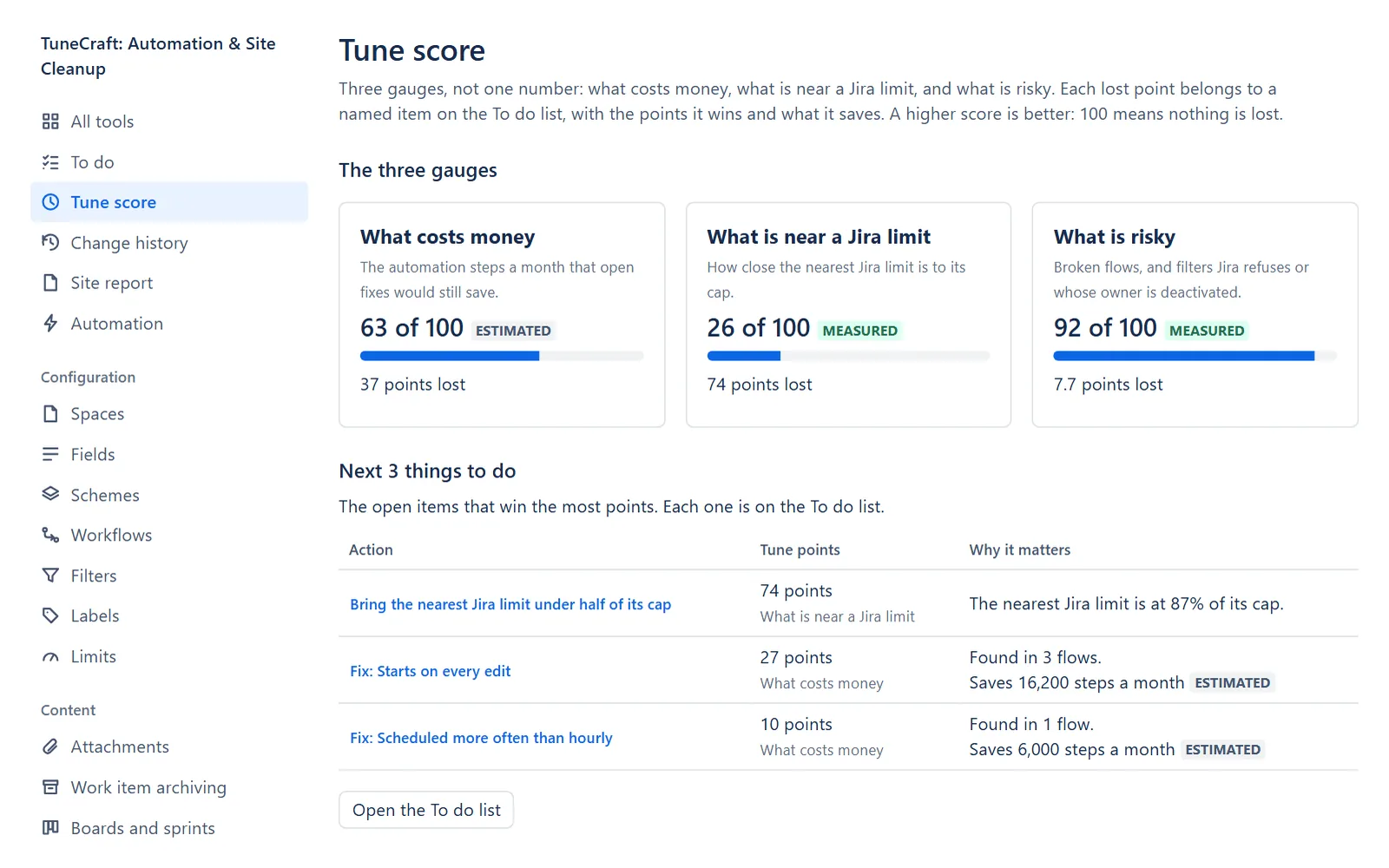
The Tune score shows three gauges, not one number: what costs money, what is near a Jira limit, and what is risky. A higher score is better: 100 means nothing is lost. It is for Jira admins, with a licence or a trial, and it changes nothing in Jira.
On this page
Where to find it
| Where | What is there |
|---|---|
| Apps > TuneCraft > Tune score | The three gauges. It is near the top of the rail, after All tools and To do. |
| Apps > TuneCraft > All tools | Across all tools: the gauges in small form, beside the next items of the To do list. |
The three gauges
| Gauge | What it counts | Measured or estimated |
|---|---|---|
| What costs money | The automation steps a month that open fixes would still save. | Estimated, because steps come from your flows and their runs. |
| What is near a Jira limit | How close the nearest Jira limit is to its cap. | Measured: it is what Jira reports. |
| What is risky | Broken flows, and filters Jira refuses or whose owner is deactivated. | Measured. |
There is no weighting and no overall number. Each gauge shows its score out of 100 and "N points lost". Each lost point belongs to a named item on the To do list, with the points it wins and what it saves.
How the score is worked out
The page shows the formula and the numbers it used in a closed section: select How the score is worked out to open it. In words:
| Gauge | The score is |
|---|---|
| What costs money | 100 minus 100 times the share of your last scan's steps a month that open fixes would save |
| What is near a Jira limit | Take the share of the nearest cap, less 50 (nothing is lost up to half of a cap), and divide by 50. The score is 100 minus 100 times that, kept between 0 and 100 |
| What is risky | 100 minus 100 times the share of risky objects (broken flows, and filters Jira refuses or whose owner is deactivated) among the objects looked at (the flows of the last scan, when the broken-flows check covers it, and the filters read) |
An item on the To do list wins the points its own objects take off the same formula, to a tenth of a point. Items of a gauge add up to the gauge's lost points, so no point is lost that no item names. Fields, Spaces, Schemes and the unused-filters item are listed on the To do list and are not scored.
Note: Ignoring an item on the To do list does not change the score, because the problem is still there. To leave a finding out of the score, ignore it in its own tool.
When a gauge says Not read
A part that was not read counts for nothing, and the gauge says Not read and what it needs.
- What costs money needs a saved scan with steps. If the latest scan covers only part of your flows (some flows were left out, or it holds far fewer flows than an earlier scan), it says so: a share of your steps would be a guess. Scan your whole export on Scan, or use a sender that sends every flow.
- What is near a Jira limit needs Limits to have read your site.
- What is risky needs the broken-flows check to have read the scan, or the Filters tool to have read.
Next 3 things to do
Under the gauges, Next 3 things to do is a table of the three open items that win the most points. Each row has the action, as a link to the page that does the work, the Tune points it wins with the gauge it improves, and why it matters. Open the To do list goes to the full list.
History and targets
The last section holds the counts kept each day for the checks that feed the gauges, and the targets you set. They are the same history and targets as on the main page. The money gauge has no history of its own: its steps come from your last scan, and the scans are listed under Automation, History.
Related pages
- To do: the actions behind each lost point.
- The main page: the gauges in small form, and Site health.
- Automation: scanning your flows, which feeds the first gauge.
Questions about the app? Write to info@plugincraft.ca.